Saab Information Display (SID)
| Saab Information Display (SID) |
| Setting the clock |
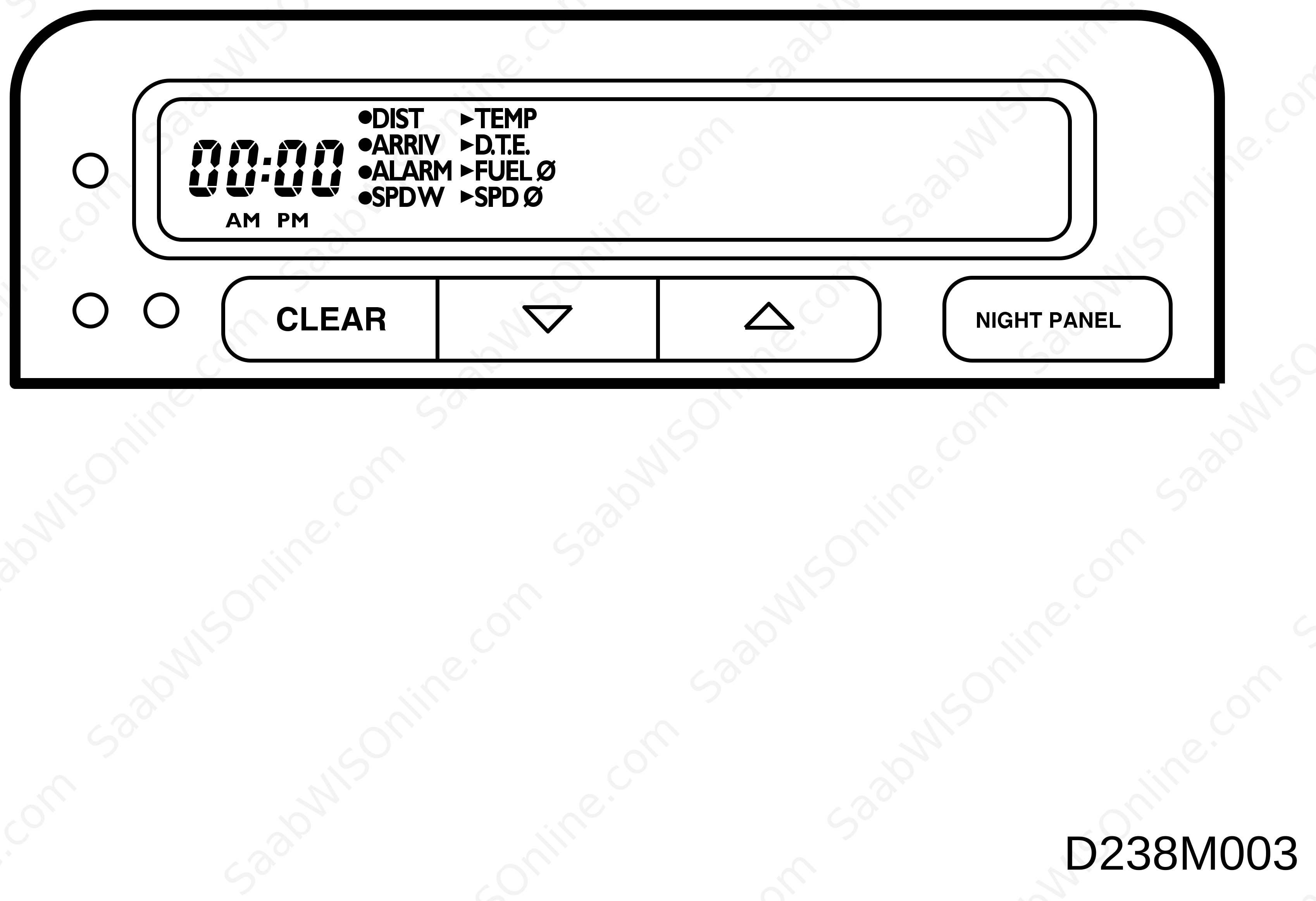
Set the correct time with the buttons under the clock.
| Setting the date, SID 1 |
| • |
Advance the trip computer with the “up” or “down” button until the temperature and date are shown.
|
|
| • |
Set the correct date by simultaneously pressing the CLEAR and “down”buttons for about 1 second until an audible signal is heard.
|
|
| • |
Set the year with the “up“ or “down“ button.
|
|
| • |
Press the CLEAR button and set the month with the “up“ or “down“ button.
|
|
| • |
Press the CLEAR button and set the day with the “up“ or “down“ button.
|
|
| • |
Press the CLEAR button once again and the trip computer will return to normal.
|
|
| Selecting the units of measurement, SID 1 |
The trip computer has four different series of measurement units:
|
|
Metric
|
Imp:1
|
Imp:2
|
US
|
|
Distances
|
km
|
miles
|
miles
|
miles
|
|
Speed
|
km/h
|
mph
|
mph
|
mph
|
|
Fuel consumption
|
l/100 km
|
mpg
|
mpg
|
mpg
|
|
Temperature
|
°C
|
°F
|
°C
|
°F
|
|
Clock
|
24-hour
|
12-hour
|
12-hour
|
12-hour
|
| • |
Set the correct series by simultaneously pressing the CLEAR and “up“ buttons for four seconds until an audible signal is heard.
|
|
| • |
Select the desired series with the “up“ or “down“ button.
|
|
| • |
Press the CLEAR button twice and the trip computer will return to normal.
|
|
| Selecting the language, SID 1 |
The trip computer can display messages in English, German, French, Spanish, Italian and Swedish.
| • |
Set the correct language by simultaneously pressing the CLEAR and “up“ buttons for four seconds until an audible signal is heard.
|
|
| • |
Press the CLEAR button once.
|
|
| • |
Select the desired language with the “up“ or “down“ button.
|
|
| • |
Press the CLEAR button and the trip computer will return to normal.
|
|
| Setting the date, SID 2 |
| • |
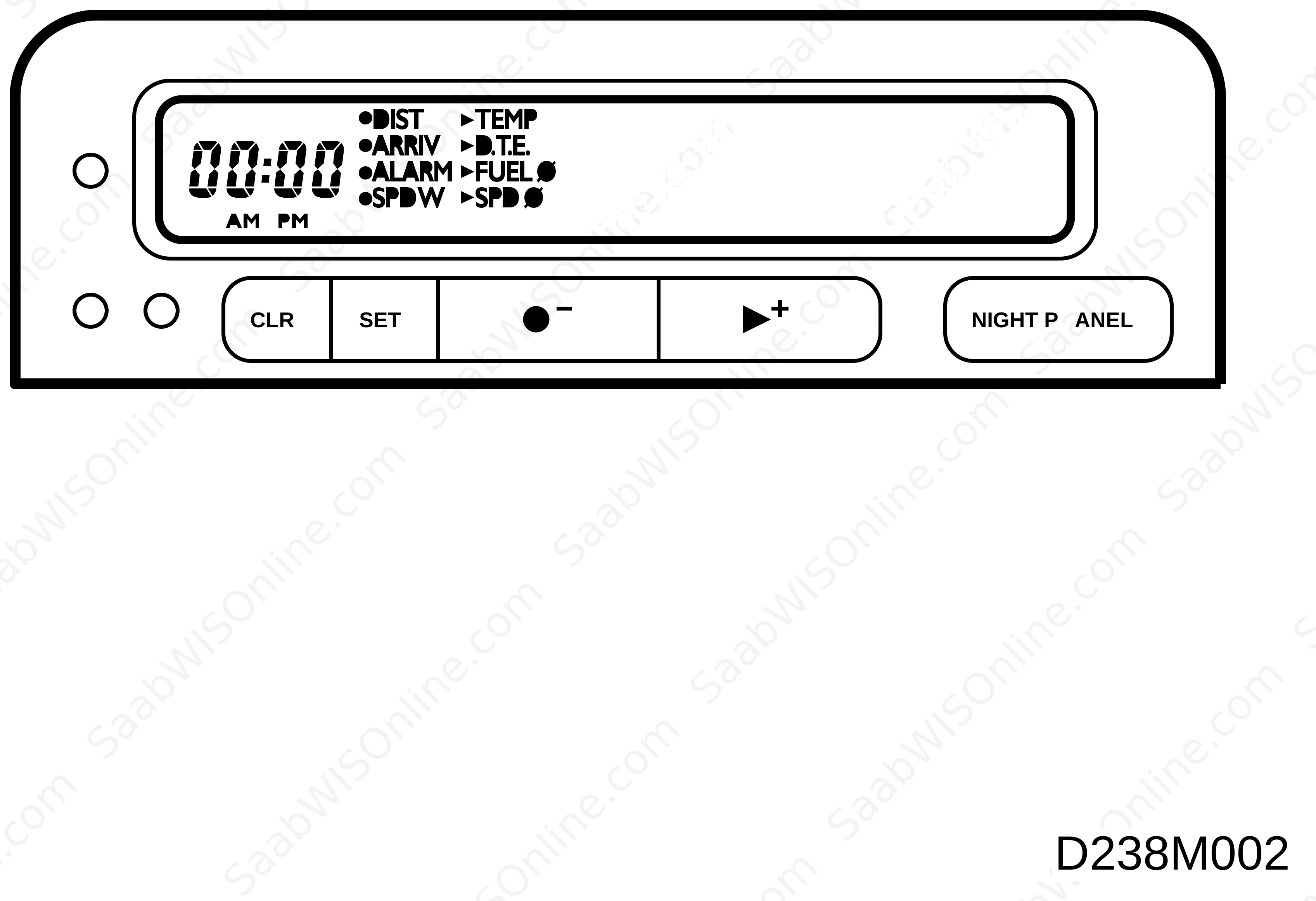
Advance the trip computer with the + (plus) button until the temperature and date are shown.
|
|
| • |
Set the correct date by pressing the SET button for about 1 second until an audible signal is heard.
|
|
| • |
Set the year with the - (minus) or + (plus) button.
|
|
| • |
Press the SET button and set the month with the - (minus) or + (plus) button.
|
|
| • |
Press the SET button and set the day with the - (minus) or + (plus) button.
|
|
| • |
Press the SET button once again and the trip computer will return to normal.
|
|
| Selecting the units of measurement, SID 2 |
The trip computer has four different series of measurement units:
|
|
Metric
|
Imp:1
|
Imp:2
|
US
|
|
Distances
|
km
|
miles
|
miles
|
miles
|
|
Speed
|
km/h
|
mph
|
mph
|
mph
|
|
Fuel consumption
|
l/100 km
|
mpg
|
mpg
|
mpg
|
|
Temperature
|
°C
|
°F
|
°C
|
°F
|
|
Clock
|
24-hour
|
12-hour
|
12-hour
|
12-hour
|
| • |
Select the desired series by simultaneously pressing the CLEAR and SET buttons for four seconds until an audible signal is heard.
|
|
| • |
Select the desired series with the - (minus) or + (plus) button.
|
|
| • |
Press the SET button twice to reset the tripcomputer to normal position.
|
|
| Selecting the language, SID 2 |
The trip computer can display messages in English, German, French, Spanish, Italian and Swedish.
| • |
Select the desired language by simultaneously pressing the CLEAR and SET buttons for four seconds until an audible signal is heard.
|
|
| • |
Press the SET button once.
|
|
| • |
Select the desired language with the - (minus) or + (plus) button.
|
|
| • |
Press the SET button and the trip computer will return to normal.
|
|
This project is supported by memberships and donations. If you use this site, please consider Joining SCNA and/or making a donation.
Our Friends