
TWICE control module
| TWICE control module |
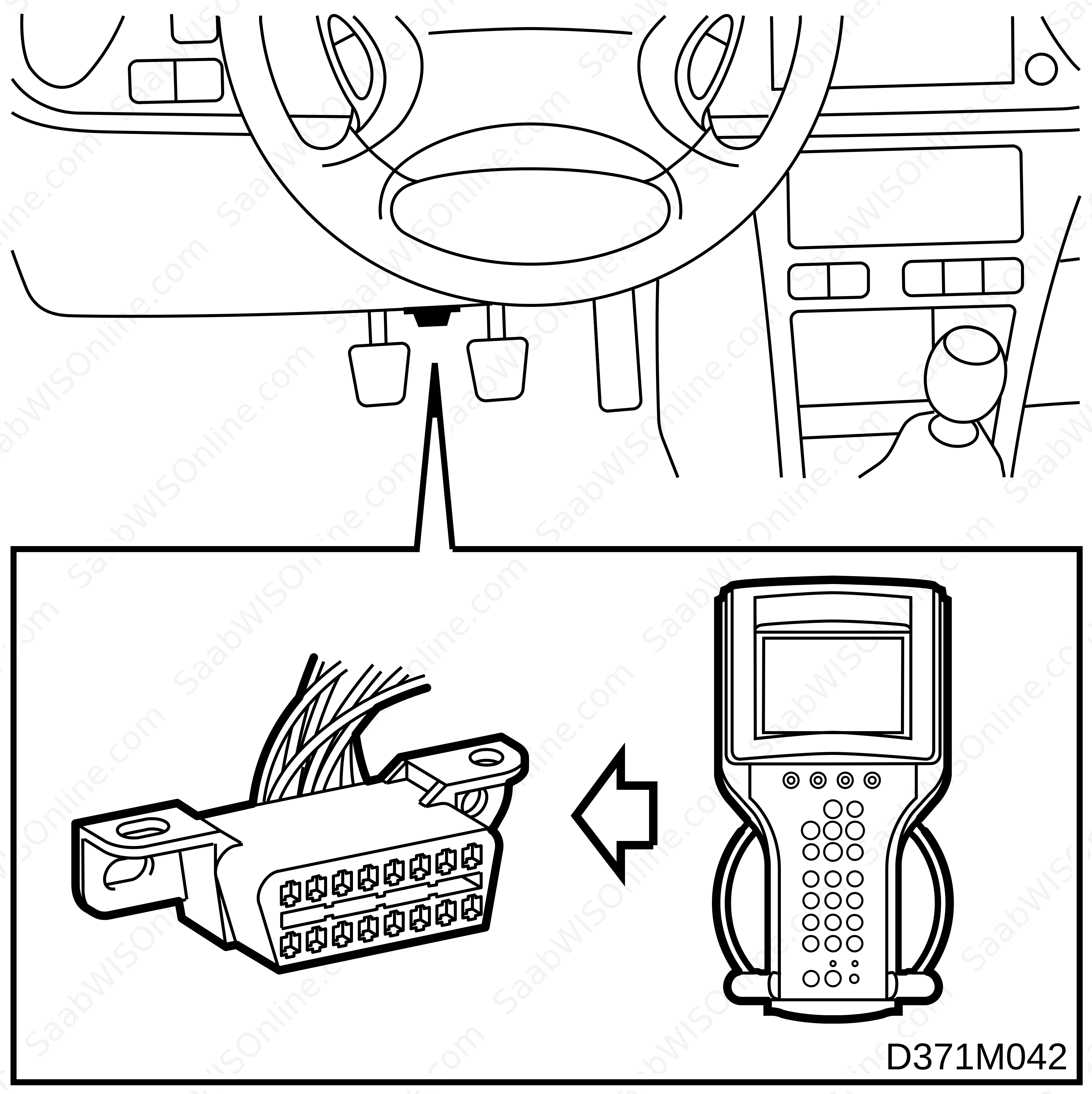
| • |
Connect the Tech 2 diagnostic tool to the data link connector under the steering wheel.
|
|
| • |
Turn the ignition switch to the ON position.
|
|
| • |
Select
Diagnostics
.
|
|
| • |
Select
Model year
.
|
|
| • |
Select
Vehicle type
.
|
|
| • |
Select
Body
.
|
|
| • |
Select
TWICE
.
|
|
| • |
Select the
Adjustment
menu.
|
|
| • |
Select the
Transit mode
function.
|
|
| • |
Present setting: Yes.
|
|
| • |
Desired setting: Yes.
|
|
| • |
Select
Change
.
|
|
| • |
Desired setting: No
|
|
| • |
Select
OK
.
|
|
| • |
Delete any diagnostic trouble codes in the TWICE control module.
|
|
| • |
End communication with the TWICE control module.
|
|
| • |
Turn the ignition switch to the OFF position.
|
|
This project is supported by memberships and donations. If you use this site, please consider Joining SCNA and/or making a donation.
Our Friends