
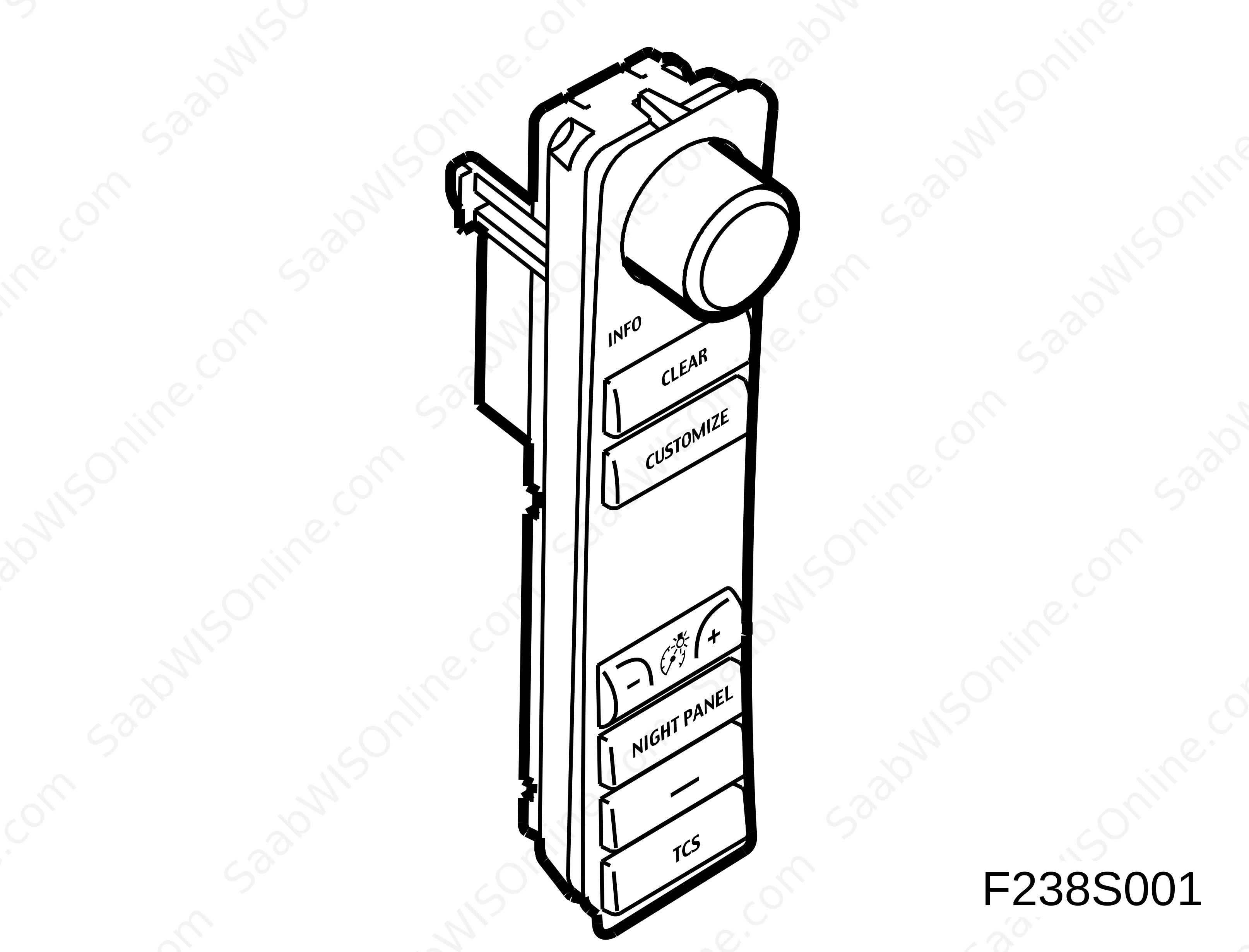
SID control panel (737)
| SID control panel (737) |
| Principal use |
Functions in SIDC (SID control panel)
SIDC is used to| • |
adjust the brightness of the instrument illumination
|
|
| • |
switch between SID functions
|
|
| • |
adjust customer settings
|
|
| • |
turn on or off TCS or ESP function
|
|
| • |
turn on or off extra equipment
|
|
| • |
Night Panel (extinguishes certain parts of instrument illumination)
|
|
| • |
delete a setting
|
|
| Type |
SIDC comprises two variants, one with TCS button and the other with ESP button.
The buttons are instant and the INFO knob has 18 distinct positions with spring-return pushbutton function.
SIDC has limited electronics and communicates on a wired link to ICM using PWM signals (square wave).
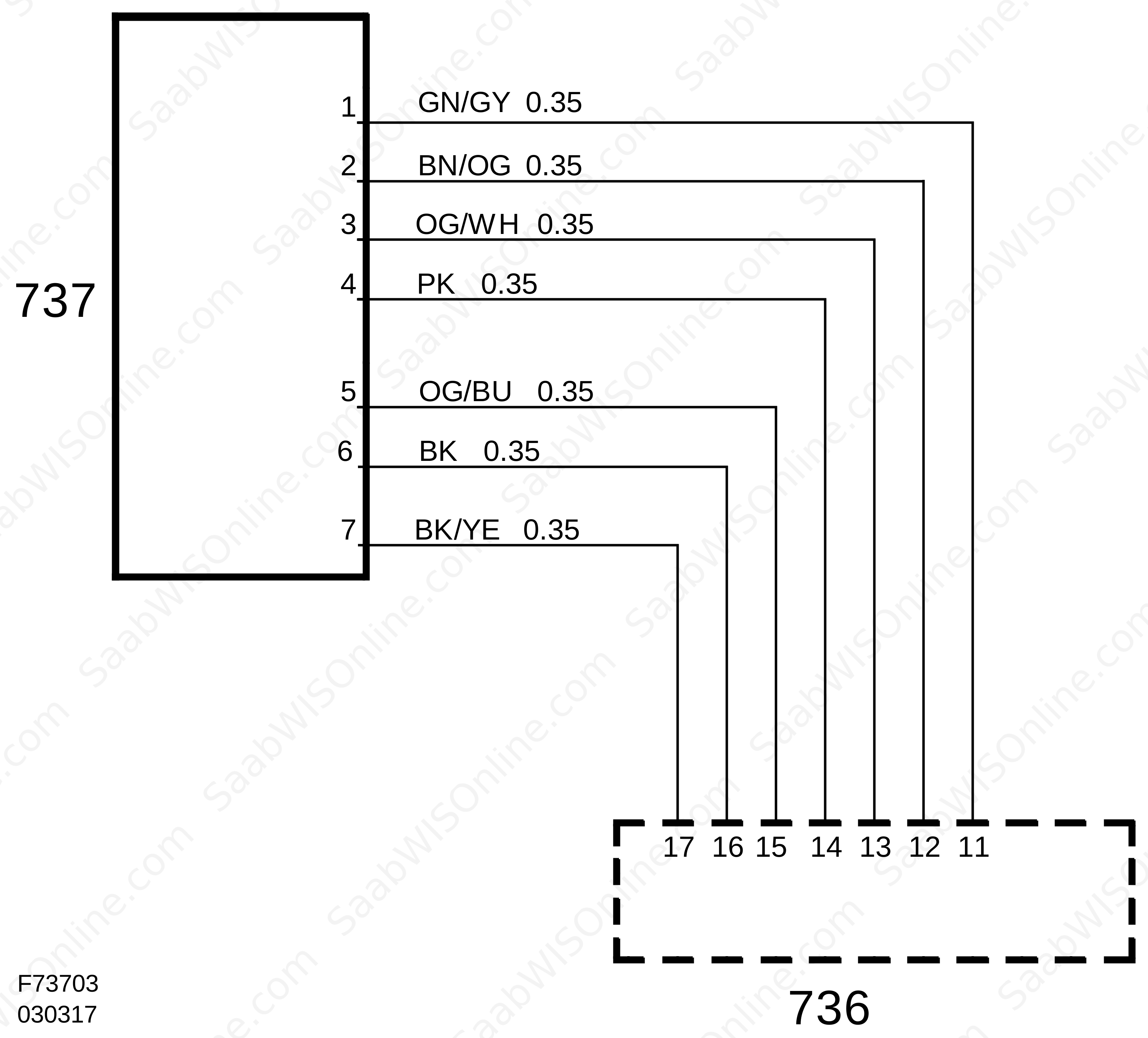
SIDC has a 12-pin connector.
| Connection |
|
Pin no.
|
Signal type
|
Description
|
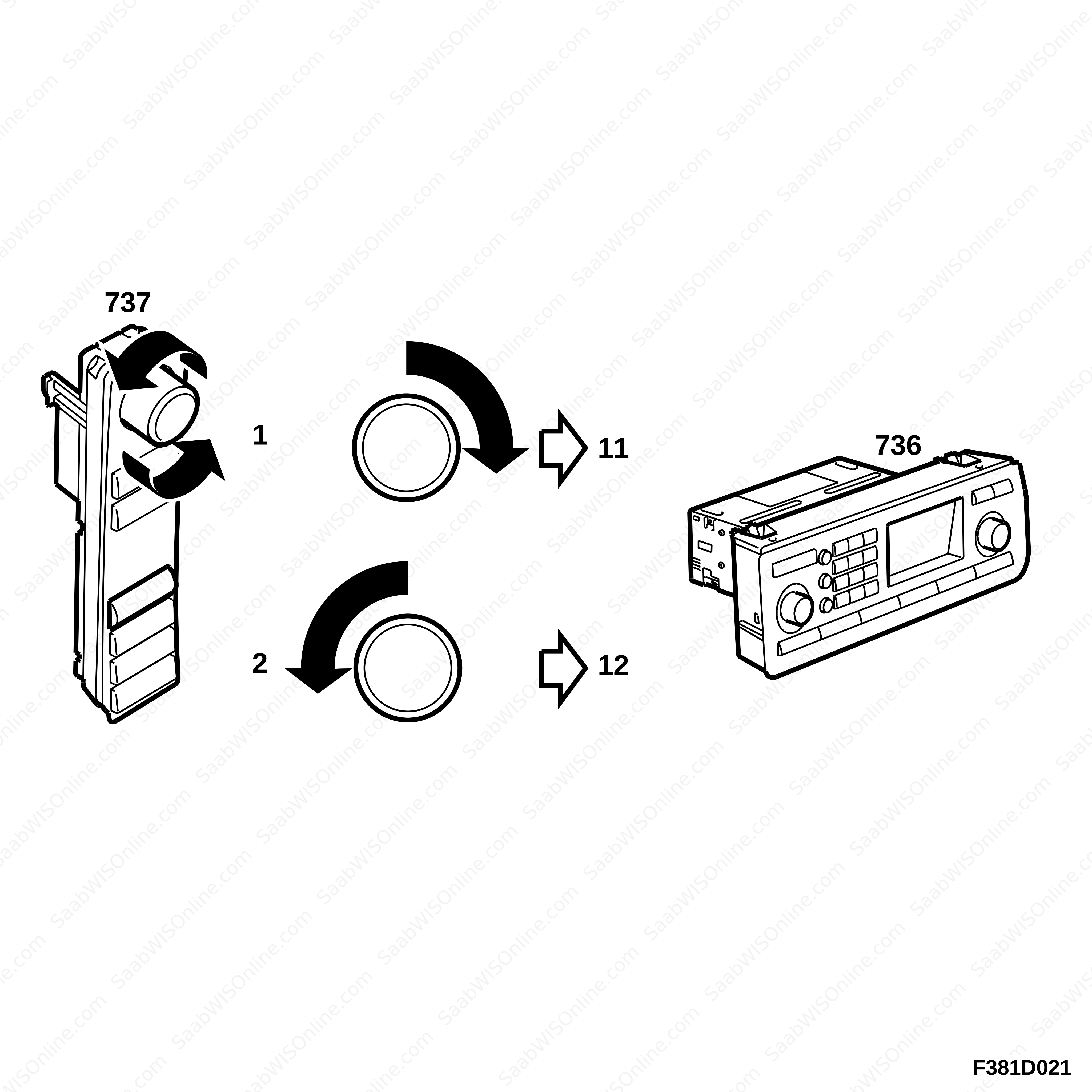
| 1 | Output signal, INFO knob | Turning the INFO knob in one direction grounds ICM pin 11. |
| 2 | Output signal, INFO knob | Turning the INFO knob in one direction grounds ICM pin 12. |
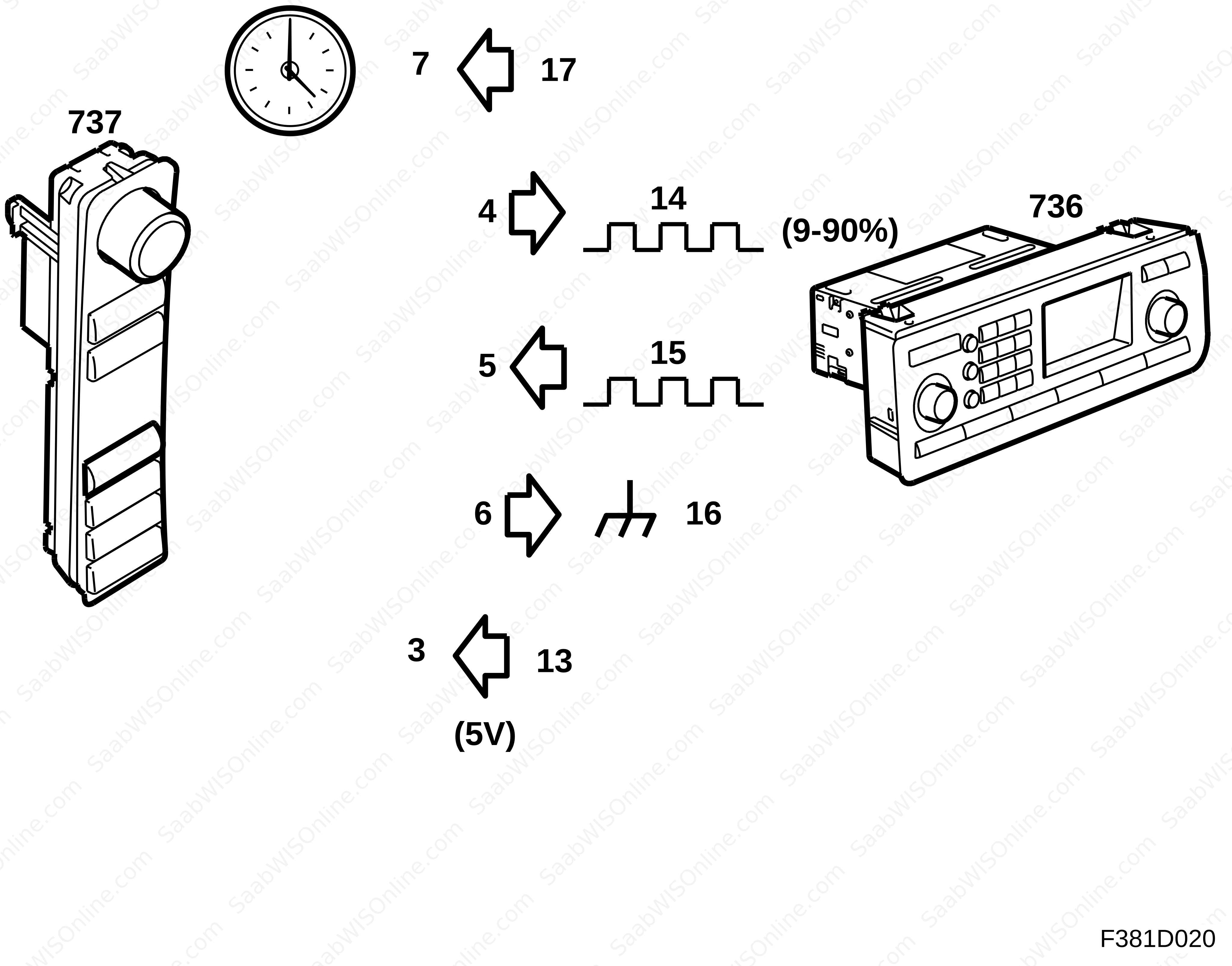
| 3 | Power supply | Power supply from ICM pin 13 |
| 4 | Output signal, button press | To ICM pin 14. PWM signal 5V 960Hz square wave with pulse ratio between 10-90%. |
| 5 | Output signal, brightness adjustment of instrument lighting | To ICM pin 15. PWM signal 5V 960Hz square wave with pulse ratio between 10-90%. |
| 6 | Ground | Ground from ICM pin 16 |
| 7 | Wake-up signal | Wake-up signal from ICM pin 17 |
Output signal, INFO knob
Signal from button push, wake-up signal and ground and power supply
When the INFO knob is not depressed, SIDC sends a PWM signal with pulse width 50% and when it is depressed (SET) to save a value, the pulse width changes to 70%.
This project is supported by memberships and donations. If you use this site, please consider Joining SCNA and/or making a donation.
Our Friends