Rear Disc Brake Mounting and Hardware Inspection
|
|
Rear Disc Brake Mounting and Hardware Inspection
|
Refer to
Brake Dust Warning
.
|
1.
|
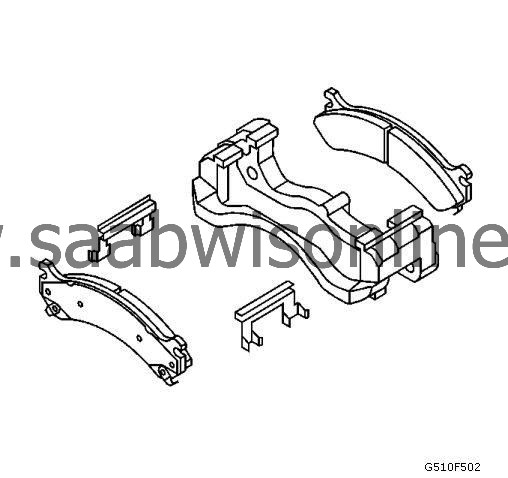
Remove the disc brake caliper from the caliper mounting bracket.
|
|
2.
|
Remove the disc brake pads from the caliper mounting bracket.
|
|
3.
|
Inspect the disc brake pad mounting hardware for the following:
|
|
|
•
|
Missing mounting hardware
|
|
|
•
|
Looseness at the brake caliper mounting bracket
|
|
|
•
|
Looseness at the disc brake pads
|
|
4.
|
If any of the conditions listed are found, the disc brake pad mounting hardware requires replacement.
|
|
5.
|
Ensure the disc brake pads are held firmly in place on the brake caliper mounting bracket, yet slide easily on the mounting hardware without binding.
|
|
6.
|
Install the disc brake pads to the caliper mounting bracket.
|
|
7.
|
Install the disc brake caliper to the brake caliper mounting bracket.
|